Web Console Manual
The Librux Web Console is the browser-facing operations surface for one host control backend. It shows runtime status, resources, packages, specs, diagnostics, and configuration from the same HTTP origin as the REST and WebSocket APIs.
The Console is not the native transport hot path. Browser traffic enters through the control backend facade, while native Event, Control, Procedure, and Operation paths remain inside the Librux runtime boundary.
Access
The bundled Console is available when the runtime configuration uses
control.frontend.mode=bundled, which is the default installed mode. Frontend
policy is part of the host runtime configuration; see
Runtime Configuration before replacing or disabling
the system frontend.
Open the Console from the control API endpoint.
http://<control-api-host>:<control-api-port>/
The same origin serves.
- REST APIs under
/api/v1/control/* - stable product-facing REST APIs under
/api/v1/* - WebSocket facade endpoints under
/api/v1/ws/eventsand/api/v1/ws/control - static package frontends under
/api/v1/packages/<package-id>/ui/
When security is enabled, browser users should log in through the Web session. API keys are for external REST/WebSocket clients, automation, and monitoring. See Web and API Security.
Use Product Frontend Modes when a product should
serve its own static SPA from the control backend or run Host Control APIs
without serving the bundled Console. Managed package frontends are separate and
continue to use /api/v1/packages/<package-id>/ui/.
Workspace
The Console uses a desktop-style workspace.
- open tools from the left launcher
- keep multiple tools open at the same time
- move, resize, minimize, maximize, snap, restore, and close windows
- double-click a title bar to maximize or restore
- use density control when screen space is limited
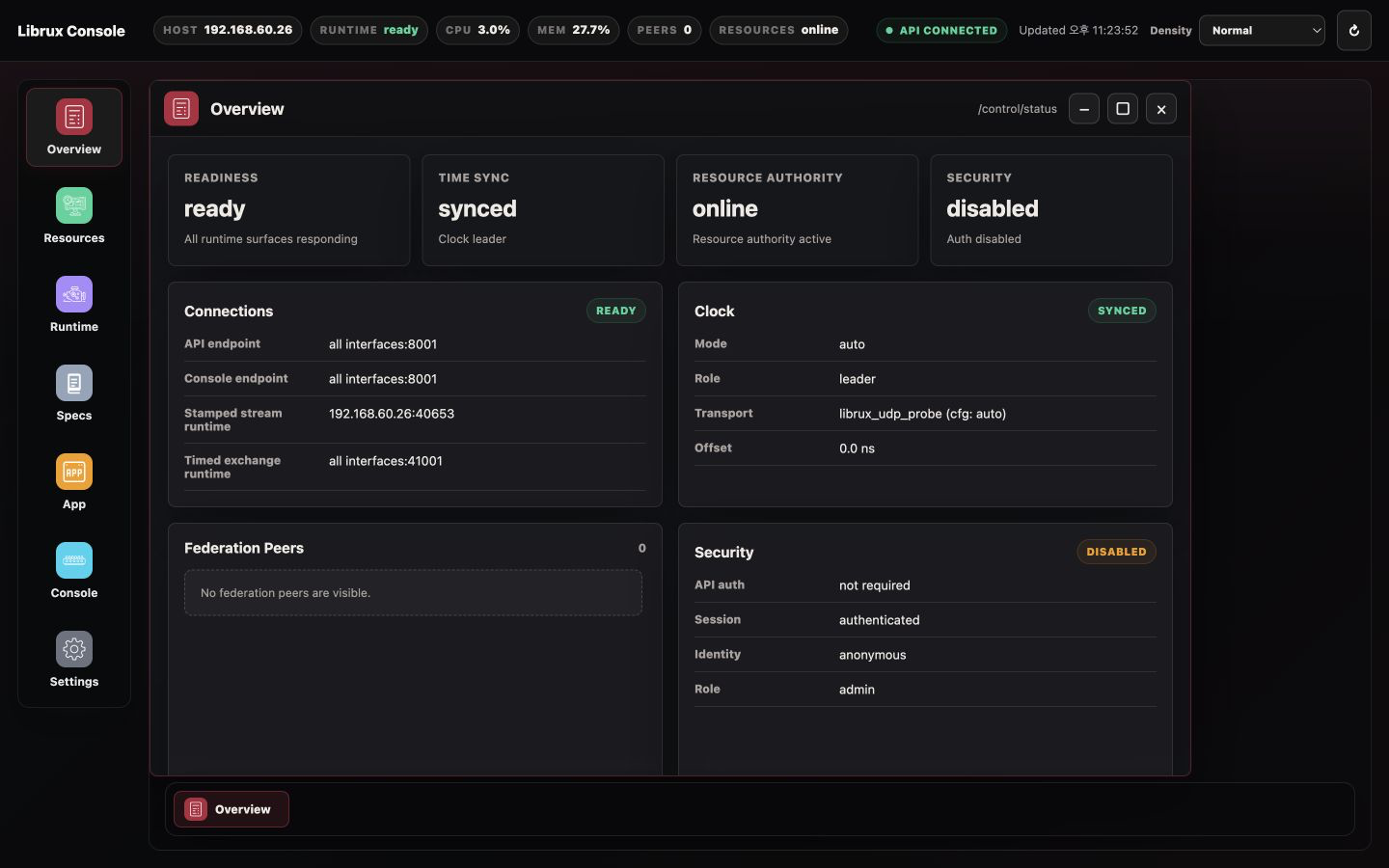
Use this model when comparing host status with specs, watching Console traffic while inspecting Resources, or managing Packages while Overview remains visible.
Page Map
| Page | Use |
|---|---|
| Overview | host identity, readiness, federation peers, and connection surfaces |
| Resources | host inventory, resource authority, and active leases |
| Runtime | registered subsystems, interface graph, bindings, and managed instance lifecycle |
| Specs | runtime-visible spec dictionary |
| Packages | package install/removal, resource claims, and static package UI links |
| Console | browser-safe Event, Procedure, and Operation testing |
| Settings | runtime config, security access, API keys, and apply actions |
Overview
Overview is the first page to check on a host.
It answers these questions.
- is the host ready?
- is time sync accepted for the current workload?
- is the resource authority online?
- which peers are visible?
- which connection surfaces are exposed?
Important distinction.
Assigned addressis the host identity or reachable federation address.API hostis the local bind address for REST, Web Console, and WebSocket.
Use Open Console on a peer when an issue must be inspected from that host's own control backend.
Resources
Resources combines live host telemetry with resource-authority state.
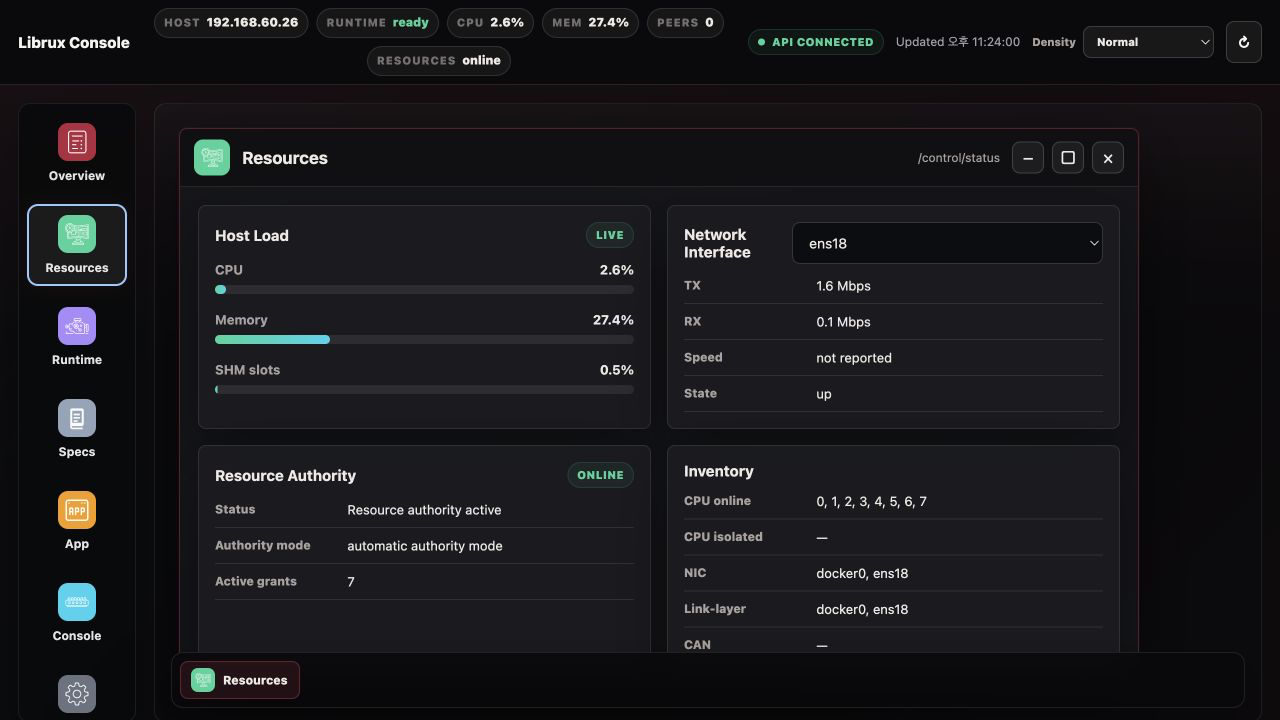
Use it to inspect.
- CPU and memory usage
- NIC inventory, state, speed, and counters when the host reports them
- resource-service health
- active managed leases
- CPU, NIC, CAN, serial, device-node, sandbox, and limit claims
Active leases are allocations owned by managed package or launcher processes. If
the resource service is unavailable, the Console may still show basic host
usage, but managed resource-control guarantees are not active.
Runtime
Runtime shows the native Librux runtime from the control backend viewpoint. It can be viewed as a detailed list or as an interface-level topology graph.
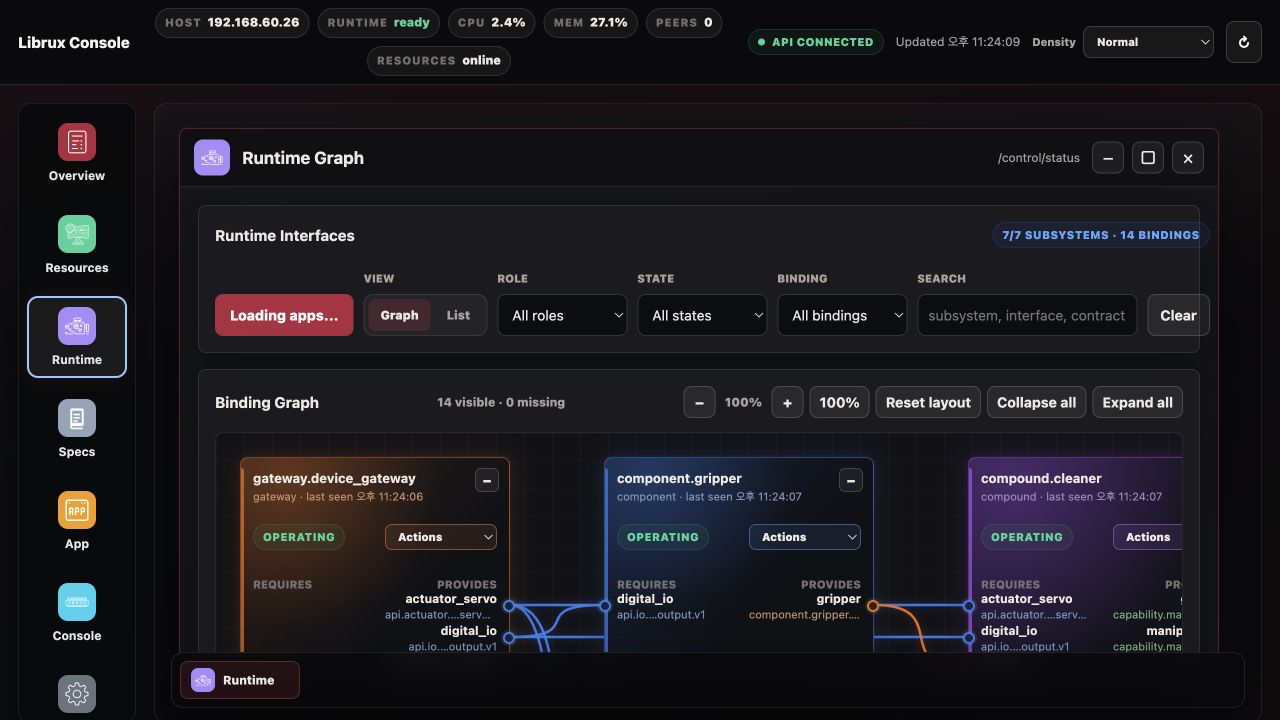
Use it to inspect.
- registered subsystems and lifecycle state
- launch, stop, or restart managed package subsystem instances
- Event publish and subscribe surfaces
- federation-visible Event streams
- provided and required interfaces from subsystem manifests
- deployment bindings between required and provided interfaces
- runtime bindings set interactively during development or repair
- Control endpoints
- Procedure endpoints
- Operation endpoints
- spec references attached to contracts
Control is separate from Procedure and Operation.
- Control is periodic timed exchange traffic with period and deadline intent.
- Procedure is bounded synchronous request/response.
- Operation is asynchronous execution with goal, feedback, state, and result.
Open spec references from Runtime rows when contract details need inspection. In Graph mode, each subsystem is shown as a card with required interfaces on the left and provided interfaces on the right. Select a required interface to see compatible providers with the same contract, then bind or unbind it without restarting the subsystem. Select a provided interface to see which consumers are currently attached.
Runtime is also the place to manage concrete package instances. The Packages page installs reusable packages; Runtime launches a selected package as a named instance and then shows that instance in the same graph as gateway, component, compound, and app subsystems. Stop and Restart actions belong here because they affect a running subsystem, not the installed package record.
Runtime bindings are stored by the running control backend and override launch bindings while that backend is alive. Use deployment manifests for product composition, and use Runtime Graph binding edits for source-level development, diagnosis, or operator repair.
Specs
Specs is the runtime spec dictionary.
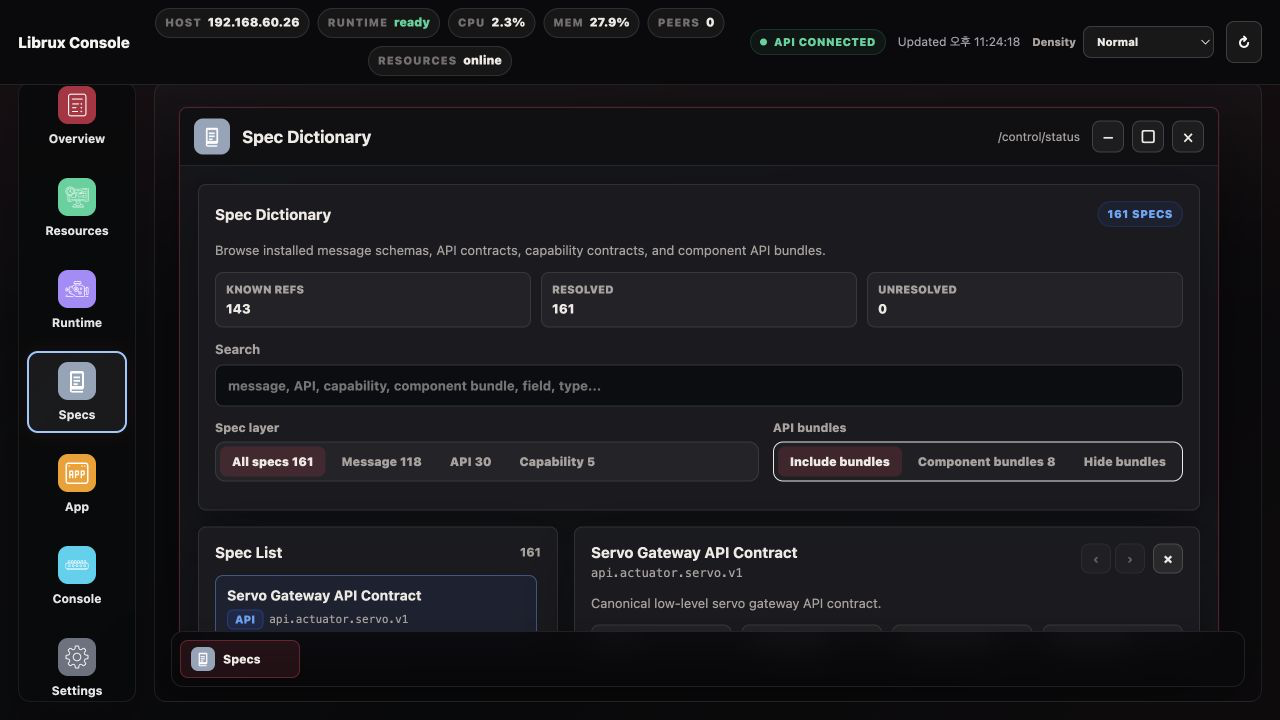
Use it for these actions.
- search available schema references
- inspect fields and nested schema references
- open a spec directly from Runtime
- identify unresolved package-local or installed spec references
The dictionary is read-only. Spec source is owned by installed runtime specs,
SDK specs, and package-local contracts.spec_roots.
Packages
Packages manages Librux packages installed on the host.
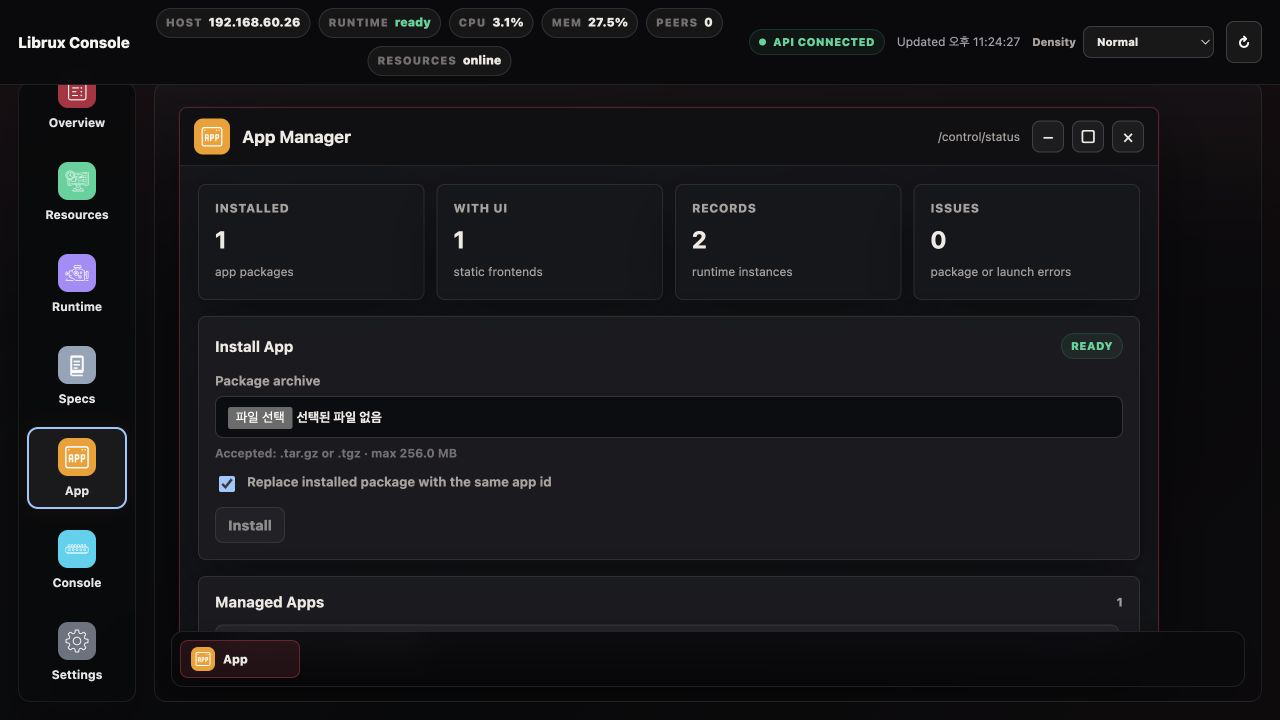
Use it for these actions.
- upload a
.tar.gzor.tgzpackage archive - validate and install a package into
packages.install_dir - inspect installed package metadata and resource claims
- uninstall installed packages when no instances are running
- inspect external packages discovered through
packages.additional_paths
Runtime instances, lifecycle controls, and instance-scoped Open UI actions belong to the Runtime page. The Packages page does not retain or present past runtime instance history.
Product installs set packages.install_dir to <prefix>/var/lib/packages so installed
packages survive runtime replacement and remain writable by
librux-control.service.
External package paths are configured from Settings > Packages. External packages can be launched from Runtime like installed packages, but the Packages page cannot uninstall them because Librux does not own their source directory.
Installation registers the package once. Launching from Runtime creates a
runtime instance from that package. The same package can run more than once when
each running instance has a unique instance id and the package uses
{{instance.id}} or package parameters instead of hardcoded runtime names.
Installed package instances start through the same managed path as follows.
librux launch run <package> --instance <instance-id> --detach
That means resource admission, environment injection, brokered socket/device policy, affinity, and cgroup placement follow the package runtime path.
Static package frontends are served from this path.
/api/v1/packages/<package-id>/ui/
Only frontend.type: static is supported. That URL is package-scoped. When an
instance is running, open its UI from the Runtime instance so Console can add the
instance context.
/api/v1/packages/<package-id>/ui/?instance=<instance-id>&context=/api/v1/packages/<package-id>/instances/<instance-id>/context
Frontend code should read the context endpoint and then use the returned same-origin proxy paths.
/api/v1/packages/<package-id>/instances/<instance-id>/api/
/api/v1/packages/<package-id>/instances/<instance-id>/ws
Packages with browser UI should package the built static files and declare them
in the package frontend section. If a package needs package-specific REST or
WebSocket GUI communication, declare frontend.context.api and/or
frontend.context.ws as localhost endpoint templates instead of hardcoding host
ports in browser code. role: app packages have additional resource policy:
application subsystems must use compound capabilities instead of claiming NIC,
CAN, serial, or device resources directly.
Console
Console exposes the browser-safe WebSocket facade.
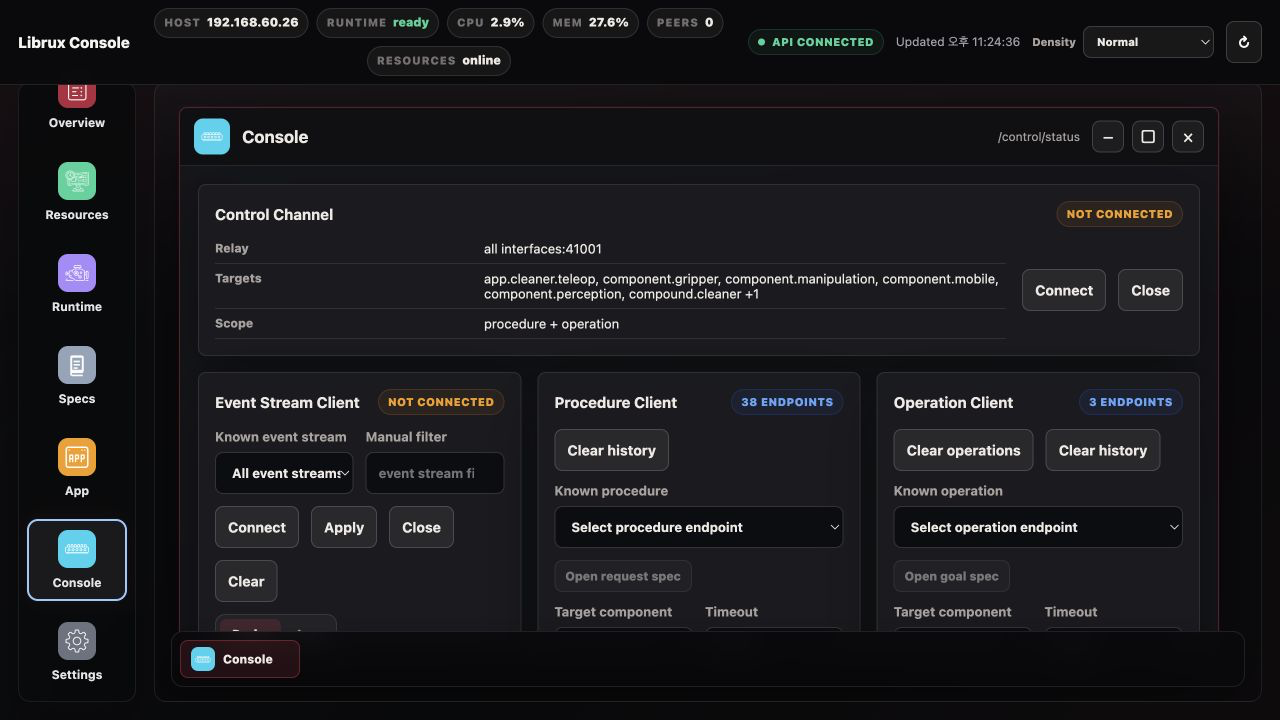
/api/v1/ws/eventsobserves Event traffic./api/v1/ws/controlsends Procedure and Operation control messages.
Use Event Probe when you want one live card per Event stream. Use Event Log when you need chronological messages.
Use Procedure Client for immediate request/response calls. Use Operation Client for asynchronous operations that may be accepted, queried, canceled, or completed later.
If Procedure or Operation calls fail, connect the Control Channel first and select targets from the known endpoint candidates instead of typing names manually.
For browser-facing message details, see WebSocket Facade and Host Control WebSocket Messages.
Settings
Settings lets you edit the runtime configuration managed by librux-config.
It is the browser surface for the model introduced in
Runtime Configuration.
Like librux config tui, it records operator changes in the runtime override
file rather than rewriting the base config.
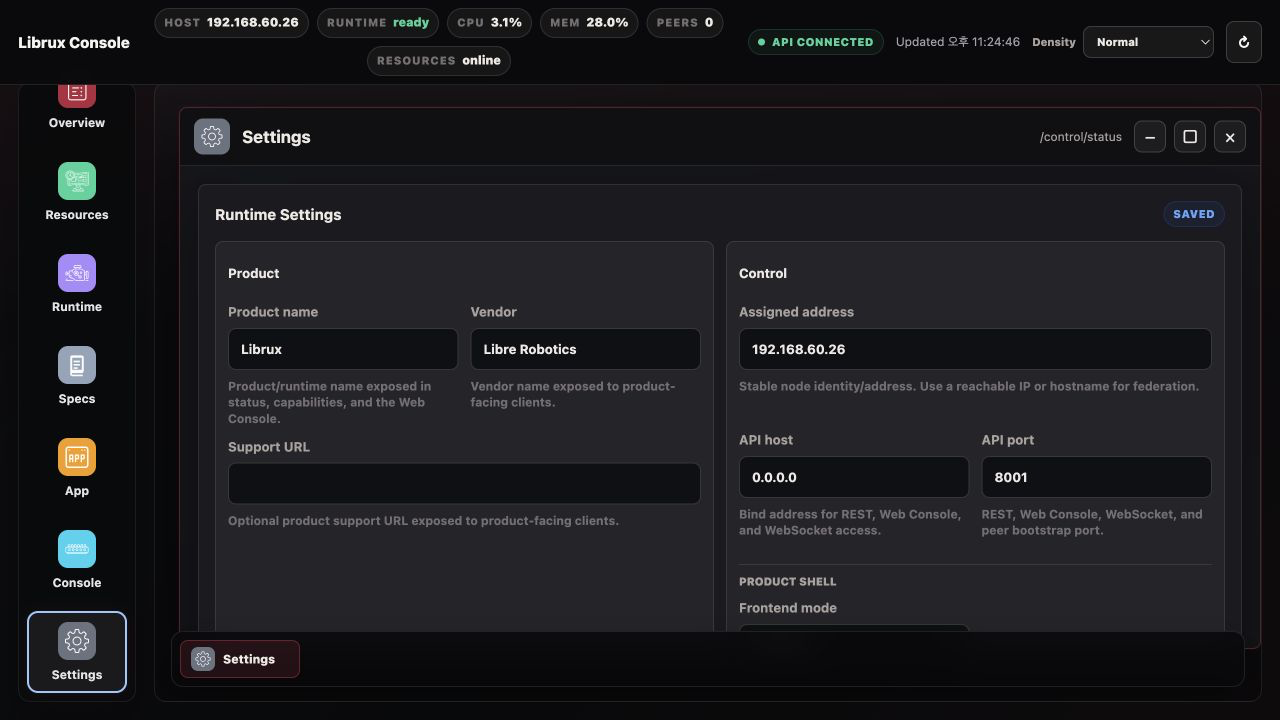
The form covers common fields.
- product name, vendor, and support URL
- control backend identity and API bind address
- federation peers
- federation transport security mode and key source
- Control Transport inline payload threshold and shared-buffer slot size
- security network admission, API authentication, token storage, Web login, and admin password storage
- time-sync mode, role, leader, transport, and NIC
- shared-memory sizing and auto-fit policy
Use Advanced Override only for fields not represented by the form. Inline
federation key material is intentionally kept out of the normal form; use a
service-readable federation.security.key_file or key_env for product
deployments.
After saving config changes, use Apply runtime changes for runtime-scoped changes. OS-level policy changes, service unit changes, kernel settings, cgroup delegation, and host network policy may still require a service restart sequence or host reboot.
Security Access manages.
- admin password storage
- API key creation and revocation
- browser login policy
API keys are shown once when created. Use them for external clients, not for the browser Console session itself.
Development And Managed Launch
Direct shell or IDE execution remains useful during development, but it is not a managed launch. A directly executed process does not receive.
- a resource lease
- managed environment injection
- CPU/cgroup placement
- brokered NIC, CAN, serial, or device FDs
- Web Console lifecycle ownership
Resource-control guarantees apply only when the subsystem package starts through
librux launch or a managed Web Console launch from Runtime. Stronger
restrictions on unmanaged shell execution belong to product or appliance
hardening policy.
Troubleshooting
| Symptom | Check |
|---|---|
| Console cannot log in | Web login config, admin password file, source CIDR admission |
| API calls fail after login | API auth and Web login policy |
| Peer Console link is missing | peer API endpoint advertisement |
| Runtime has no procedures/operations | target subsystem registration |
| Event Probe is empty | Event WebSocket, filter, and publisher state |
| Operation remains queued | target subsystem processing and federation route |
| Resources show no leases | app launched through managed path |
| App UI returns 404 | frontend.type, frontend.root, and frontend.index |
| App package install or Runtime launch rejects socket policy | subsystem.role: app and resources.sandbox.network: brokered |
| Apply runtime changes is unavailable | managed librux-control.service path |